HJMTJG
 Australian brands should compare commissioned product photographers against the same itemised brief, covering approved image counts, styling, retouching, rights, files, logistics and acceptance checks. Little Light Studio, Sydney Product Photography and Product Photos by Liquid Photography provide finished-image services, rather than empty-room hire or equipment retail.[1][3][4][5]
Turn intended uses into an itemised shot list
Create one entry for every requested final image. Adobe recommends agreeing on the commercial objective, required angles and label prominence before the shoot, and describes the shot list as a roadmap for capturing the necessary images.[2]
For each entry, specify:
- SKU or product
- Channel or placement
- Shot type and angle
- Crop and orientation
- Background and label position
- Features that must be visible
- Number of approved final images
- Priority: essential or optional
Possible deliverables include white-background or cutout images for primary listings; lifestyle scenes for product pages, social media, homepage heroes, email and brand storytelling; flat lays for bundles; detail shots for materials and features; scale images where size is unclear; group shots for ranges; and 360-degree views when several sides matter.[6]
These are planning categories, not universal channel specifications. Check the requirements for each marketplace, website template, advertising placement or print application.
A product request might separately list a front view, rear view, side view, label close-up, scale image, range-group image and two lifestyle compositions. Define the quoted count as approved final images, not camera captures. Adobe notes that one product-only final may be composited from three to ten exposures.[2]
Place desirable extras in an optional tier so photographers can quote an essential scope and an expanded scope.
Define styling and preparation
Replace broad directions such as clean, premium or on-brand with details a photographer can see and quote.
- Composition: state the background colour, product position, camera angle, crop and orientation, including which labels and features must remain visible.[2][6]
- Lighting and styling: describe acceptable reflections and shadows, set limits on props, and specify how framing and colour should remain consistent. Props should support rather than obscure the product.[2][6]
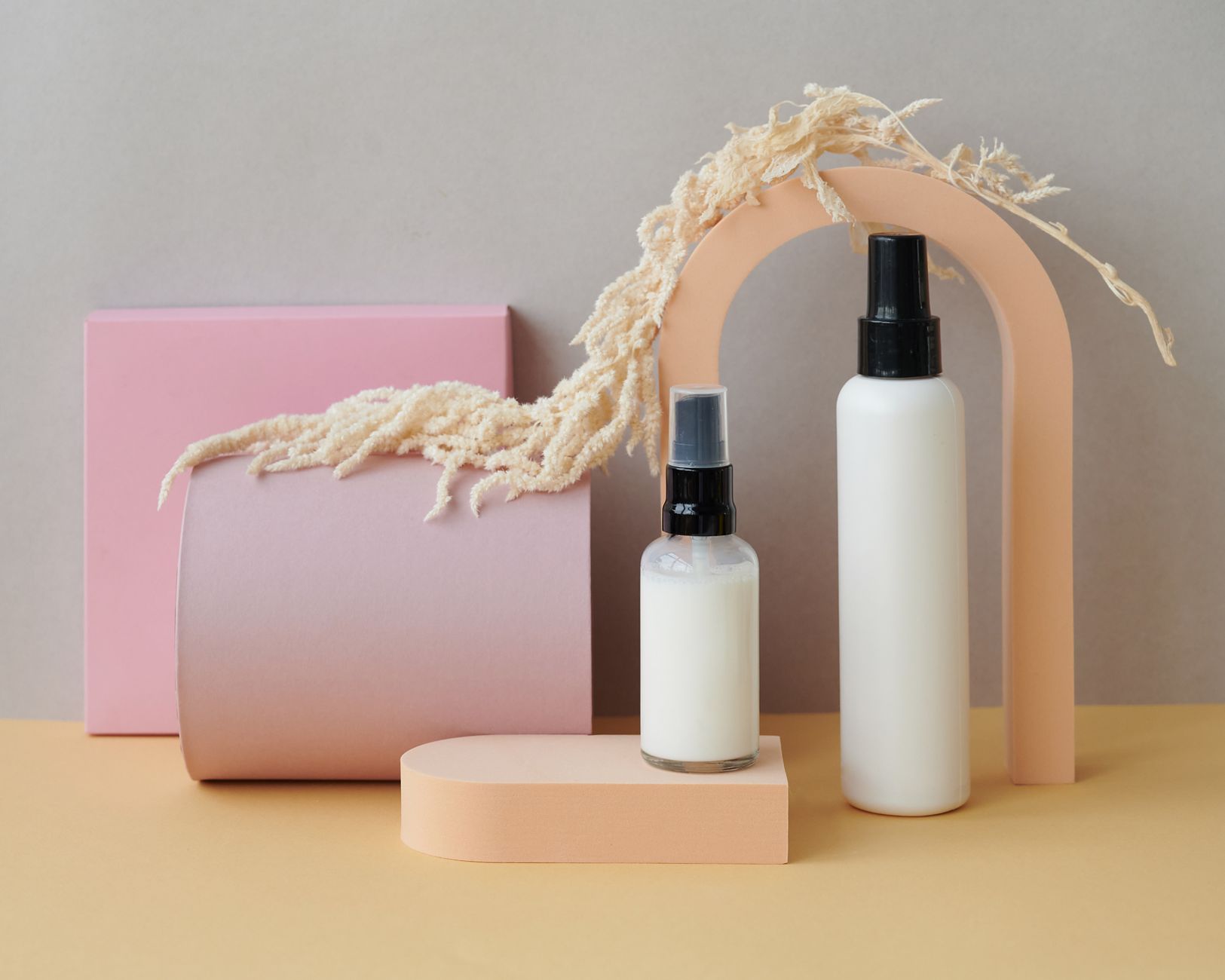
- Scene: mark each composition as product-only, styled studio, flat lay, lifestyle, model-assisted or location-based.[2][5][6]
- Responsibilities: identify who supplies and approves props, surfaces, models, wardrobe, hair and makeup, reference images and locations.
Add a preparation checklist covering dust, fingerprints, unwanted labels, wrinkled fabric and lint. Adobe and Shopify recommend addressing these details before capture rather than relying on later touch-ups.[2][6]
For model-assisted images, specify whether the model’s face is required. Adobe notes that a hand shot or close-up can provide lifestyle context while retaining emphasis on the product.[2]
For a range of matching SKUs, request approval of one test composition before the full run and have the quotation state whether the test is included.
Compare three Australian photography services
Compare each provider on shoot type, product or location suitability, and workflow or delivery. These descriptions indicate scope, not a ranking.
Little Light Studio
- Shoot type: Pure White, Magazine and Styled product-photography options.[1]
- Product or location suitability: Small products including packaged food, cosmetics, homewares, shoes and jewellery, with products accepted from around Australia.[1]
- Workflow or delivery: Clients send products and download completed images online. The studio says it retains lighting details to support consistency across future shoots.[1]
Sydney Product Photography
- Shoot type: Neutral-background ecommerce images, custom backgrounds, styled or lifestyle scenes, and 360º spin photography.[4]
- Product or location suitability: Food and beverage, lifestyle, cosmetics, accessories, apparel and niche products, with ecommerce, Amazon and catalogue applications identified.[4]
- Workflow or delivery: Its published sequence covers quotation, sending products, photography and editing, client review and payment, image delivery, then product collection.[4]
Product Photos by Liquid Photography
- Shoot type: Studio and on-location photography covering lifestyle, industrial, bottles and glass, apparel ghosting, furniture and large items.[5]
- Product or location suitability: Consumer products, FMCG, homewares, stainless steel and difficult-to-move items. The provider reports a 4,000-square-foot facility and can take equipment to a client’s premises or another location.[5]
- Workflow or delivery: Production and editing are handled in-house; the cited page does not state the delivery method or turnaround.[5]
The practical choice depends on whether the project involves remotely shipped small products, ecommerce or lifestyle imagery, interactive spins, large products or on-location work. Have shortlisted photographers quote against the same products, shot list and deliverables.
Set retouching, revision and reshoot boundaries
Define retouching as a list of tasks. Routine finishing could include agreed exposure, white-balance and colour adjustments, contrast, highlights and shadows, plus specified dust and minor-reflection removal. These steps align with Adobe’s editing workflow.[2]
Ask whether more involved work is included or separately quoted, such as rebuilding labels, removing scratches, replacing objects, complex compositing, altering product shape or controlling extensive reflections. Adobe identifies tools capable of some of these tasks, but this does not establish their inclusion in a commissioned package.[2]
The brief should state:
- the number of included review rounds;
- who will consolidate feedback;
- the deadline for comments;
- what qualifies as a correction; and
- when a request becomes a new creative direction.
Sydney Product Photography says corrections are free when it has misinterpreted shooting instructions, while changes caused by unclear client directions and the studio’s assumptions are charged. Its cited page does not specify the charge or number of included review rounds.[4]
Use objective review criteria: wrong product or variant, missing shot, incorrect label orientation, inconsistent background, visible dust, missed feature, soft focus at the intended output size or departure from an approved reference. Shopify’s checks cover lighting and editing consistency, clean products, stable framing and sharp close-ups.[6]
Put usage rights and permissions in writing
A quotation should identify who may use the images, for which purposes and on what terms. Include:
- Ownership and licensees: identify the copyright owner and the business entities permitted to use the images.
- Uses: list ecommerce sites, marketplaces, social media, email, catalogues, packaging, public relations and paid advertising.
- Boundaries: specify territory, duration, exclusivity and attribution.
- Sharing and adaptation: state whether retailers, distributors and agencies may receive files and whether images may be cropped, resized, overlaid with text or otherwise adapted.
- Photographer use: record whether the photographer may display the work in portfolios, awards entries or promotions.
- Fees: identify included usage and the cost of later extensions to channels, territories or duration.
Where people, private locations, artwork or third-party props appear, assign responsibility for securing and retaining the relevant permissions or releases.
Treat RAW captures and layered or editable files as separate deliverables. Shopify recommends RAW capture for flexibility in a DIY workflow, but this does not establish what a commissioned studio will supply.[6] The quote should address availability, price, restrictions and archival arrangements.
Specify final files in testable terms
Replace web-ready or high resolution with requirements the studio can test. Prepare a specification for each marketplace, website, advertising placement, agency or printer.
- Image properties: exact pixel dimensions, aspect ratio, crop, orientation and any relevant print resolution.
- Colour and file: colour profile or colour space, bit depth if needed, format, transparency, compression or quality setting, and maximum file size.
- Derivatives: count master files, ecommerce versions, social crops, print files, transparent-background images and thumbnails as separate deliverables.
- Organisation: define folders and filenames using fields such as SKU, product name, view, colour or variant, channel and version.
- Handover: specify the delivery method, gallery or download expiry, deadline, archive period and person responsible for confirming receipt. Little Light says clients download completed images online.[1]
Buyer-created acceptance template:
Channel: [destination]. File: [format and colour space]. Size: [exact pixels, crop and orientation]. Background: [transparent or specified colour]. Maximum size: [channel limit]. Filename: [SKU]_[view]_[variant]_[channel]_[version]. Delivery folder: [agreed structure]. Accept files only when they open correctly and match every listed field.
Compare complete quotations
Compare project totals rather than isolated per-image fees. Request itemised quotations covering:
- Pre-production: briefing, shot planning, product count, test compositions and approved final-image count.
- Production: setup changes, photography, styling, props, models, hair and makeup, locations and travel.
- Post-production: standard retouching, advanced edits, revision rounds, extra revisions, source files, delivery and archiving.
- Rights: usage or licence fees for the agreed channels, territories and period.
- Logistics: sample packaging, outbound freight, any offered insurance, storage, return freight, collection, disposal or donation.
- Tax: whether each amount includes or excludes GST.
Request one total for the essential shot list and another for optional images. Little Light Studio directs prospective clients to request a price guide or project estimate.[1]
Check logistics, payment and timing
Sydney Product Photography accepts scheduled drop-off or shipment through the client’s chosen carrier, with tracking supplied to the studio.[4] After issuing the completed gallery, it gives clients 30 days to request the return of products by arranging collection, providing a return label, paying for an SPP-generated label or choosing donation.[4]
SPP issues a booking-deposit invoice after receiving the products and checking them against the proposal. Work starts on the next business day after payment. Its standard delivery is within 10 business days after receipt of the products and payment for orders of up to 80 standard images, excluding public holidays.[4] SPP describes its customised service as non-refundable once the photoshoot begins.[4]
What to confirm with each provider
Little Light Studio does not publish its turnaround or reflective-item surcharge on the cited page.[1] Sydney Product Photography states delivery within 10 business days for up to 80 standard images after both products and payment are received, excluding public holidays; it also states that its customised service becomes non-refundable once the shoot starts.[4] Product Photos by Liquid Photography does not publish a complete price, turnaround and cancellation schedule on the cited page.[5] Obtain written confirmation of:
- rates, minimum orders, included image counts and GST treatment;
- styling and prop budgets, model fees, hair and makeup, locations and third-party releases;
- copyright ownership, licence scope, paid-advertising rights, sublicensing and attribution;
- RAW or editable-file access and related charges or restrictions;
- final dimensions, colour handling, formats, compression, filenames and folder structure;
- included retouching, revision rounds, review deadlines and extra charges;
- turnaround for the defined project size;
- sample damage, storage, return and disposal arrangements; and
- cancellation, postponement, weather contingency and reshoot terms.
Run the final acceptance check
Choose by project fit rather than a universal ranking. Confirm the provider can accommodate the product and location, deliver the required shoot type, meet the written file specification and accept the proposed review process.
Combine the shot list, visual references, responsibilities, final image count, retouching, revisions, usage licence, permissions, file specification, timetable, logistics, GST treatment, cancellation terms and reshoot rules into one approval document.
When the files arrive:
- Reconcile every SKU and promised image against the shot list.
- Test filenames, dimensions, crops, formats, colour profile, transparency, file integrity and download access.
- Inspect images at their intended display size for the correct product, variant and label; requested angles; clean surfaces; sharp details; consistent backgrounds and editing; agreed colour handling; and unintended props or reflections. Adobe and Shopify identify clean products, controlled composition, sharpness, lighting and editing consistency as relevant checks.[2][6]
Record each defect against an agreed criterion and submit one consolidated revision request within the contractual review period. The Little Light Studio, Hypop, Sydney Product Photography, Product Photos by Liquid Photography and Shopify pages offer no controlled evidence or guaranteed commercial outcome from the images.
References
- www.littlelightstudio.com.au (littlelightstudio.com.au)
- Product Photography Tips & Tricks (adobe.com)
- Product Photography | Product Photography Accessories | Hypop (hypop.com.au)
- SPP Sydney Product Photography (sydneyproductphotography.com.au)
- Product Photography Melbourne | By Liquid Photography (productphotos.net.au)
- Product Photography: A DIY Guide for Beginners (2026) – Shopify Australia (shopify.com)